Visual Networking Thinger⚓︎
Difficulty:
Direct link: Visual Networking Thinger
Objective⚓︎
Request
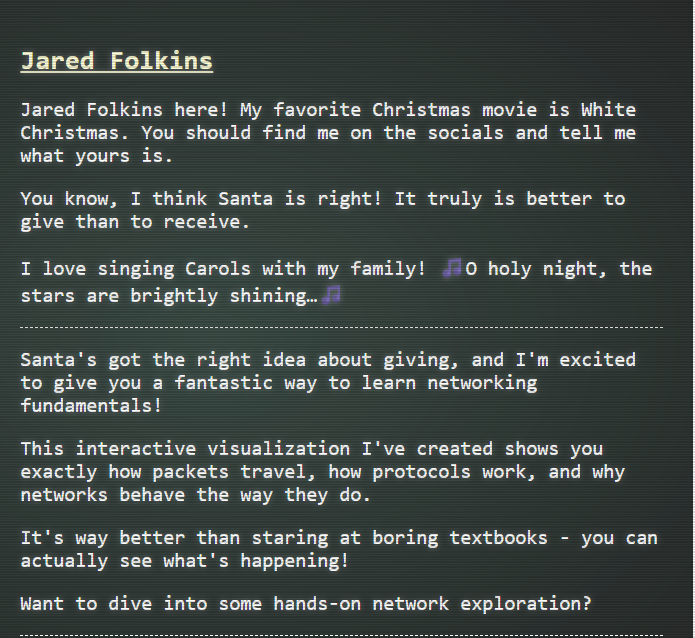
Skate over to Jared at the frozen pond for some network magic and learn the ropes by the hockey rink.
Jared Folkins
Solution⚓︎
This challenge is an interactive visualization of how packets travel, how protocols work, and why networks behave the way they do.
The task is to follow the on-screen prompts in the visual networking simulator and complete each mini-challenge on DNS lookup, TCP handshake, HTTP request, TLS handshake, and HTTPS request.
DNS Lookup (Challenge 1)⚓︎
The task for this challenge is to find the IP address of visual-networking.holidayhackchallenge.com.
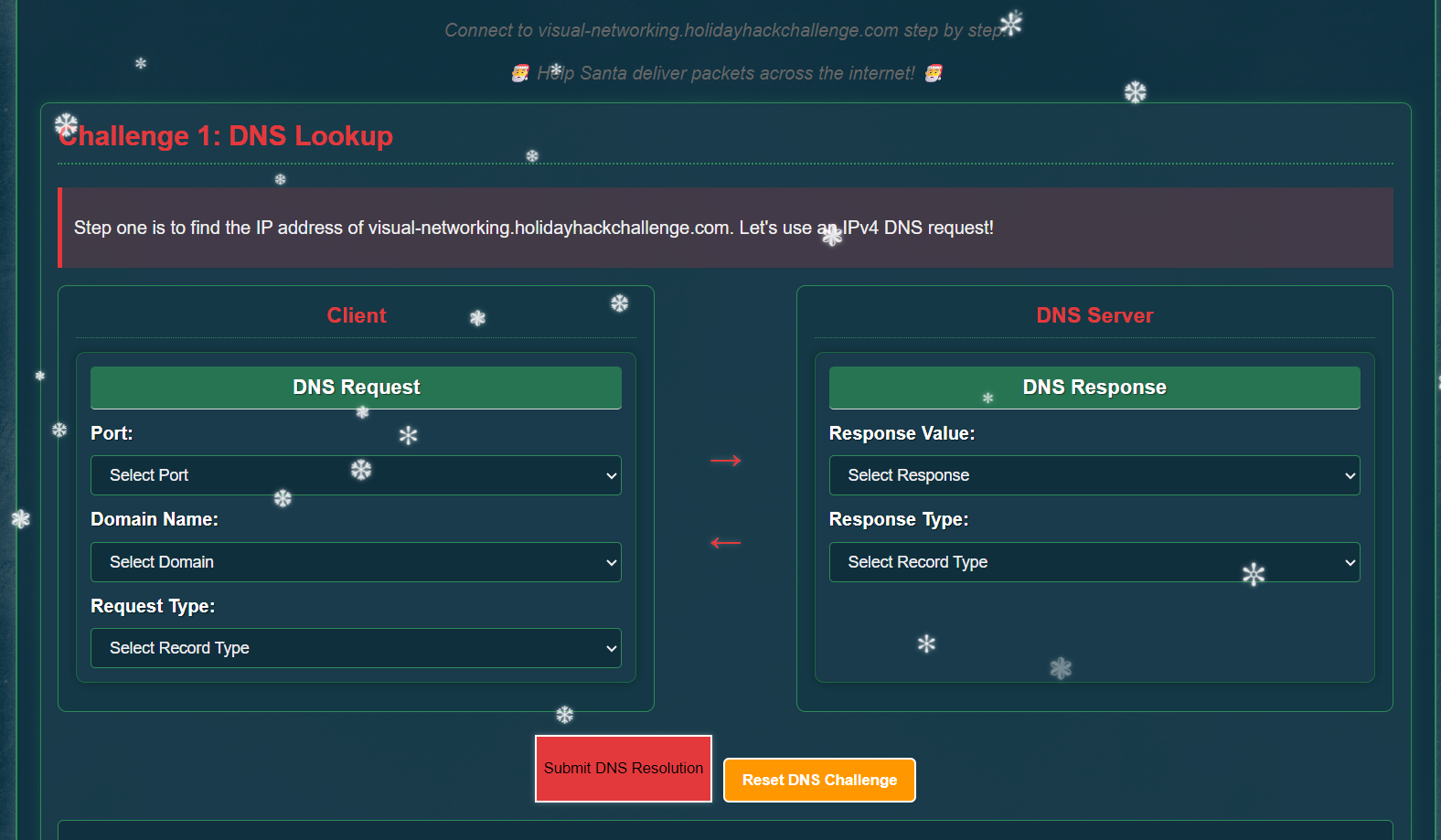
I used the DNS request panel with the standard DNS port and an A record query.
- Port:
53 - Domain Name:
visual-networking.holidayhackchallenge.com - Record Type:
A
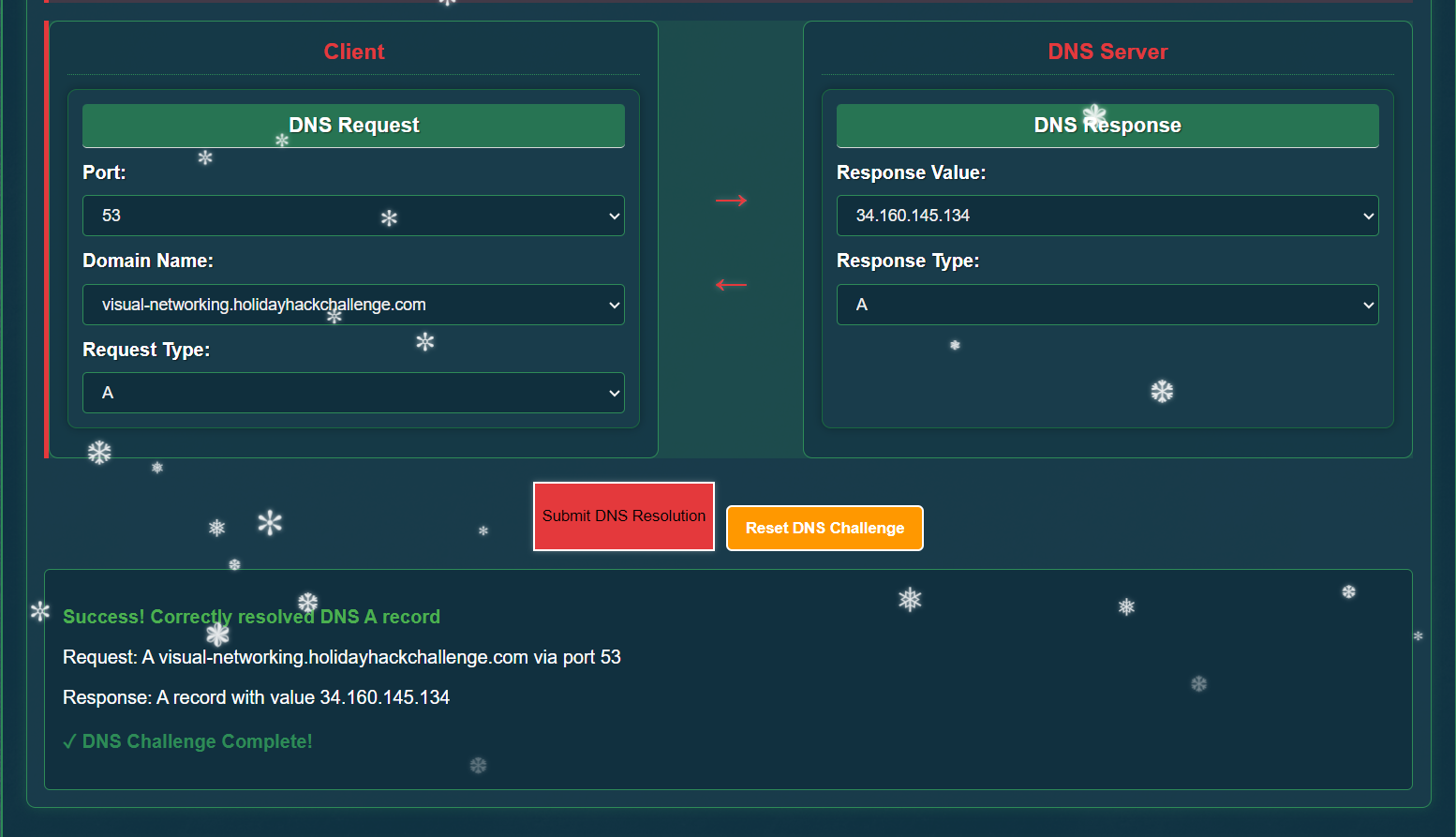
The DNS server responded with the A record for the domain queried, and the DNS challenge completed successfully.
TCP 3-Way Handshake (Challenge 2)⚓︎
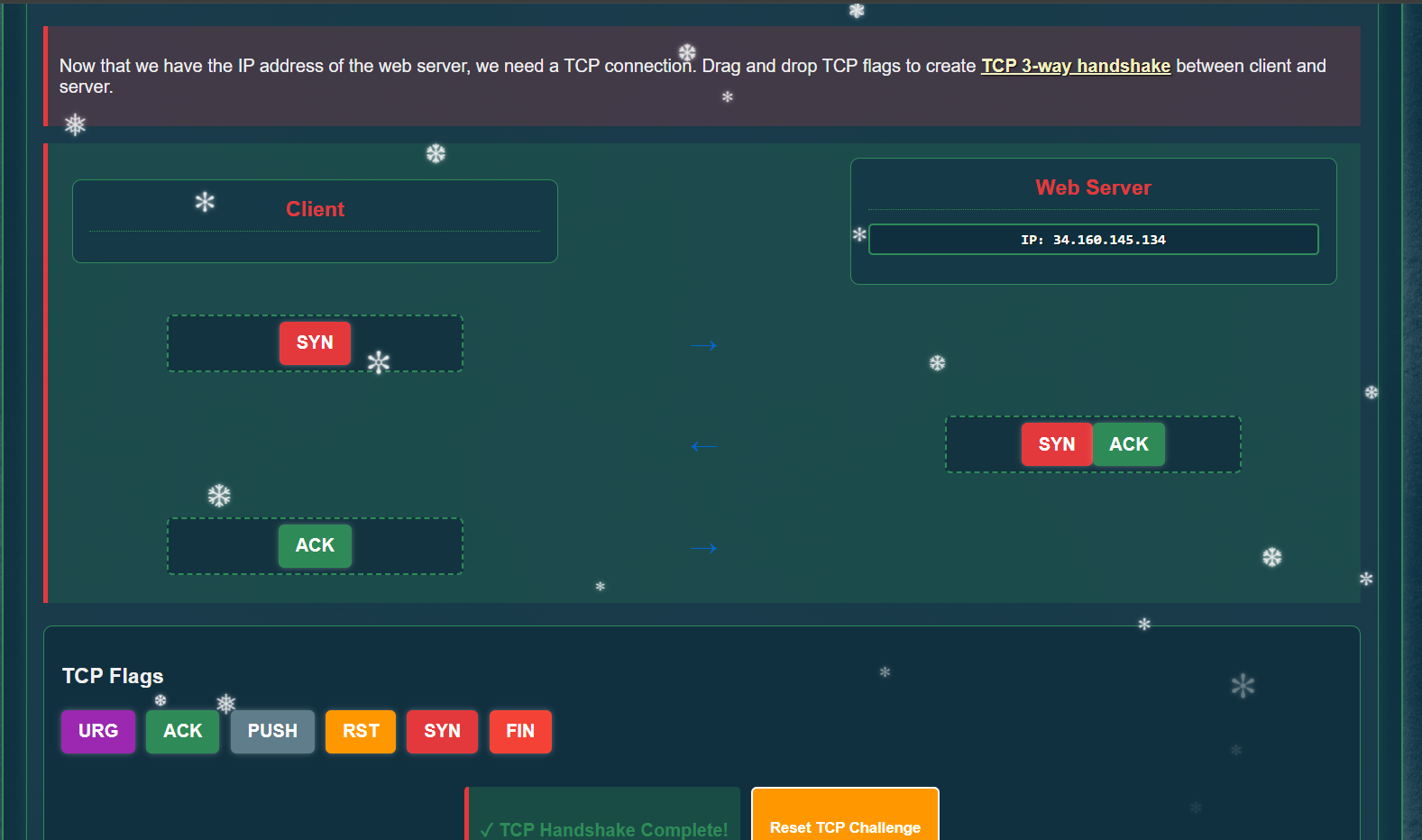
With the IP known, the next task was to establish a TCP connection by placing the flags in the correct order. I followed the standard 3-way handshake:
- Client sends
SYN - Server replies with
SYN ACK - Client responds with
ACK
After placing the flags in this sequence, the TCP handshake completed.
HTTP GET Request (Challenge 3)⚓︎
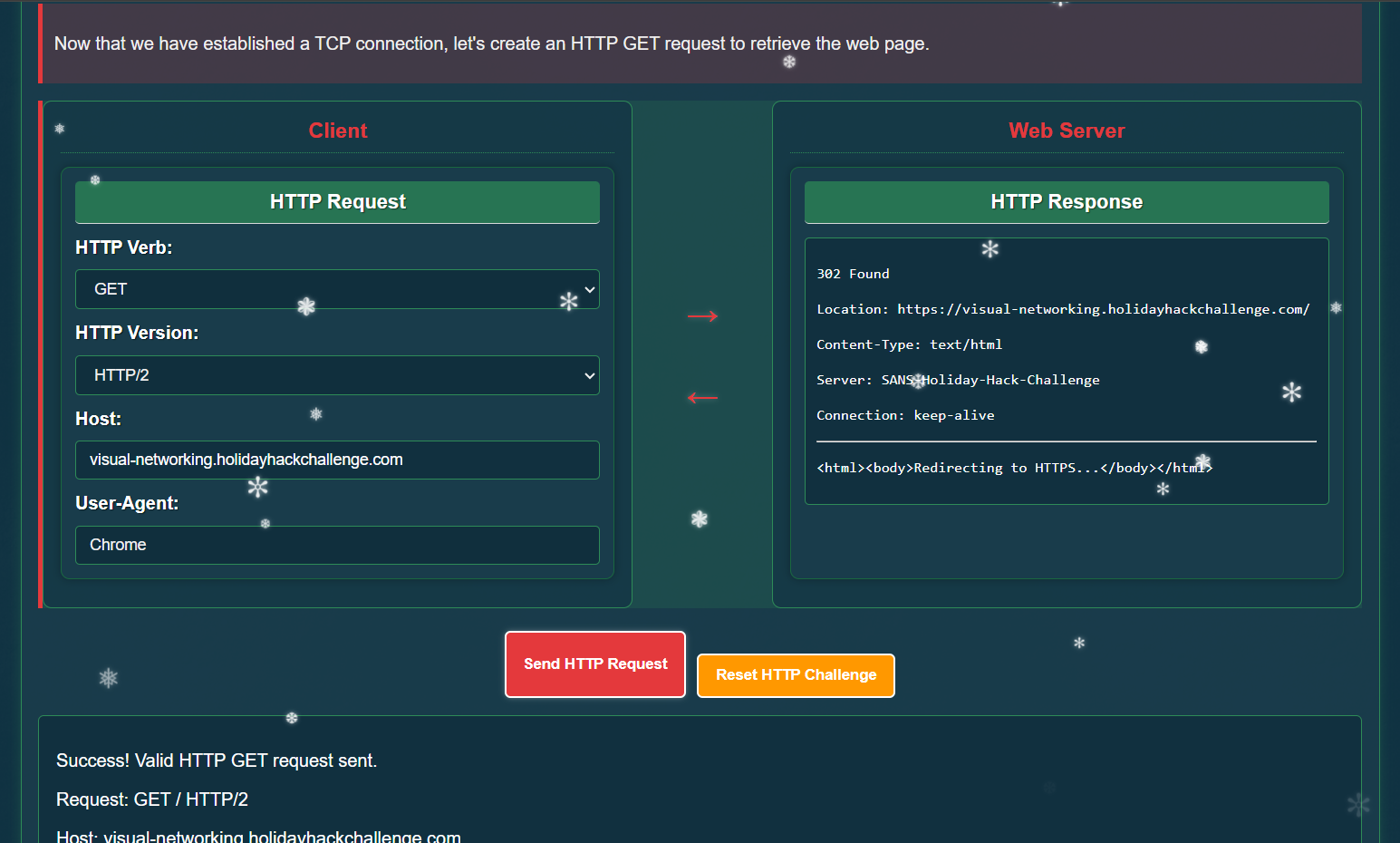
The next step was to create an HTTP GET request to retrieve the web page.
- HTTP Verb:
GET - HTTP Version:
HTTP/2 - Host:
visual-networking.holidayhackchallenge.com - User-Agent:
Chrome
The response returned a 302 redirect to the HTTPS endpoint, which confirmed the HTTP request was valid.
TLS Handshake (Challenge 4)⚓︎
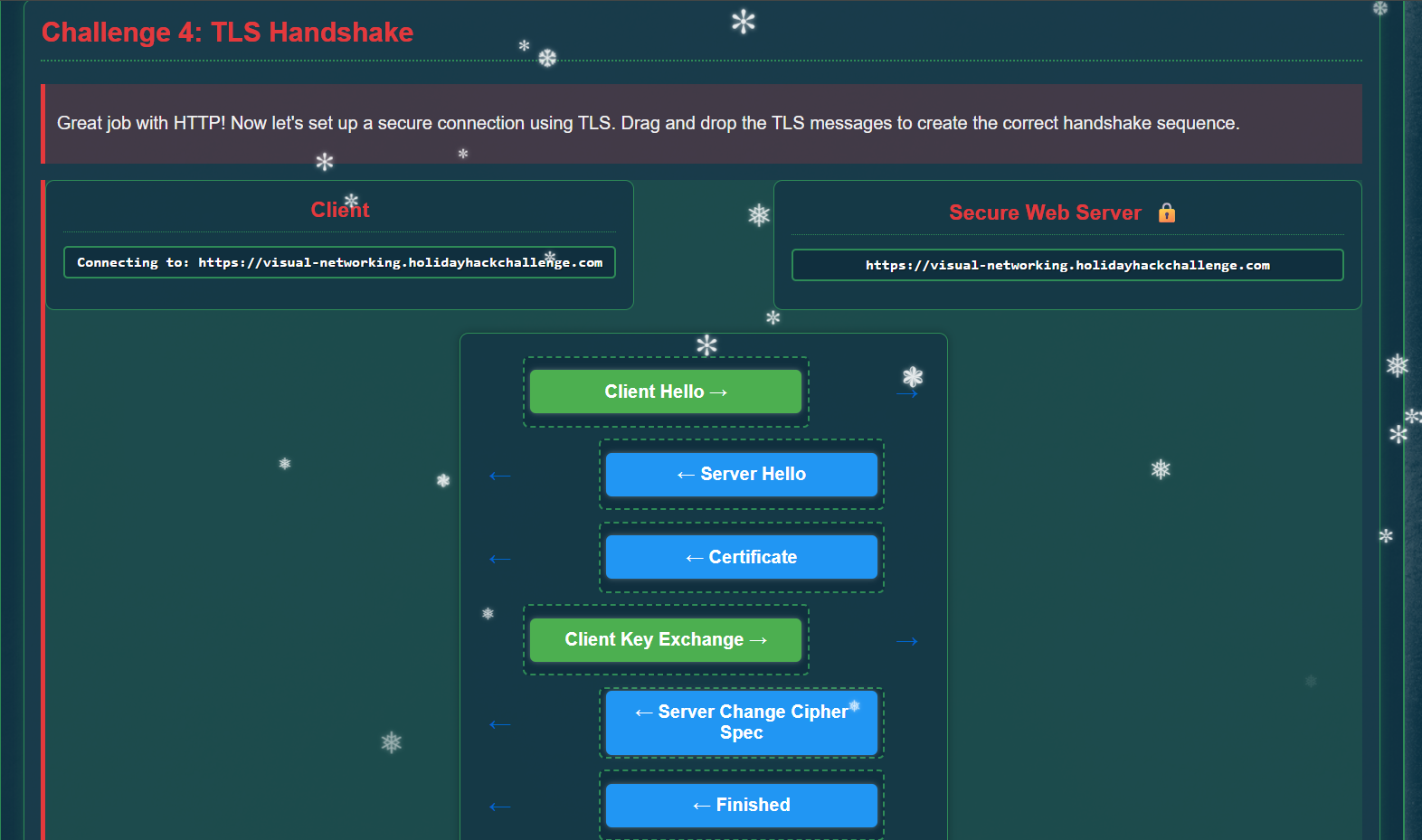
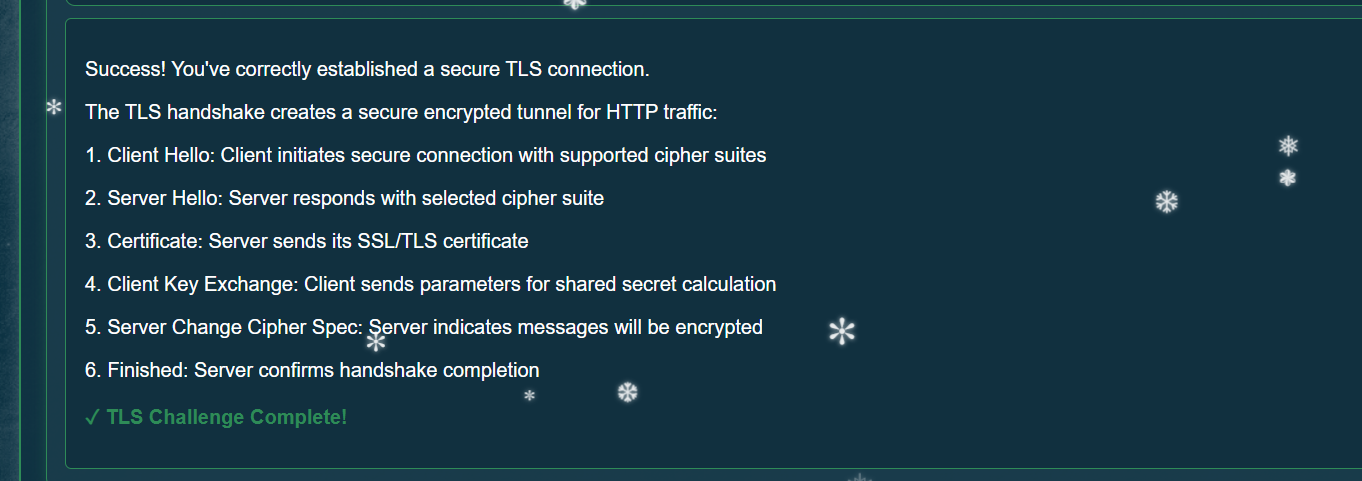
TLS is used to establish a secure, encrypted connection between the client and the server. I arranged the TLS handshake messages in the correct order:
- Client Hello: Client initiates the handshake by sending its protocol version, cipher suites, and random data.
- Server Hello and certificate: Server selects the TLS version and cipher suite, sends its random data, and provides its certificate for identity verification.
- Client Key Exchange: Client verifies the certificate and sends key exchange data (a pre-master secret encrypted with the server public key in TLS 1.2 RSA).
- Change Cipher Spec and Finished: Both sides switch to the negotiated encryption and exchange encrypted Finished messages to confirm the handshake.
This sequence established the encrypted tunnel for HTTPS traffic. For more detail on the handshake flow, see: https://auth0.com/blog/the-tls-handshake-explained/
HTTPS GET Request (Challenge 5)⚓︎
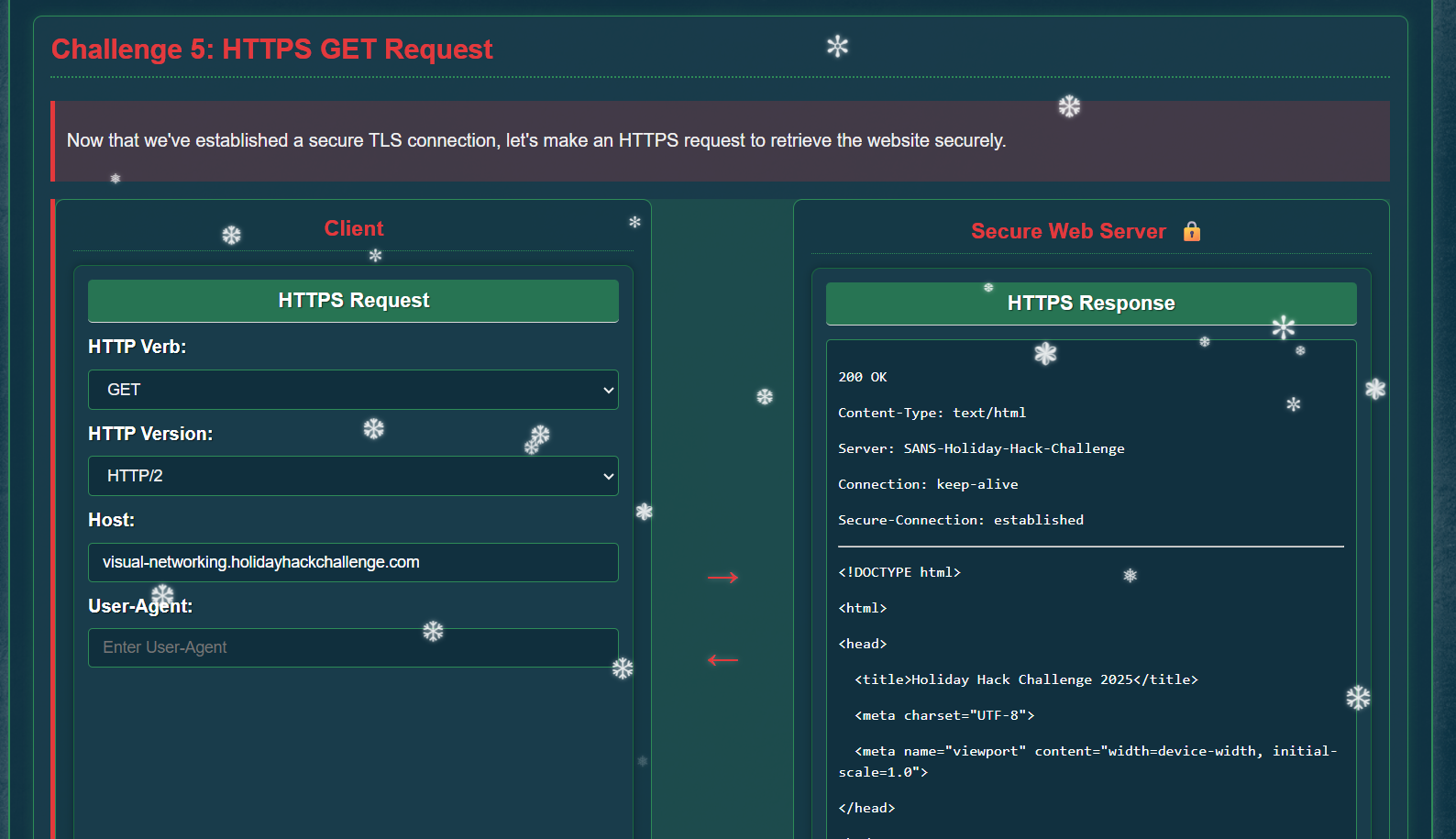
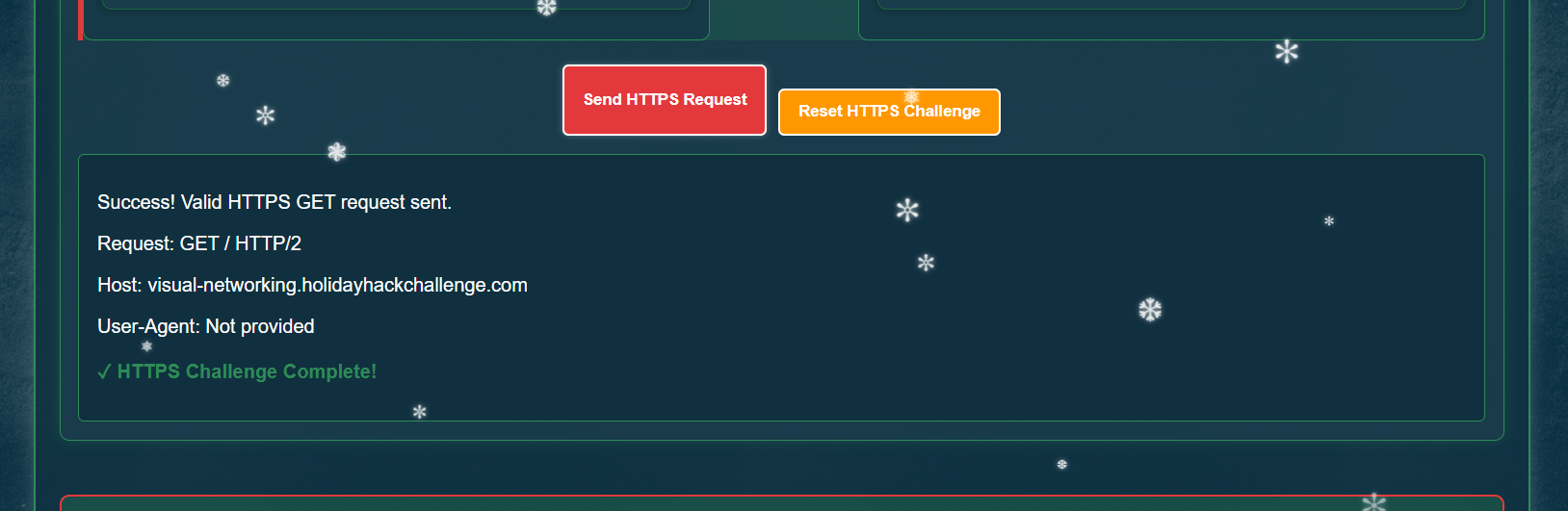
Finally, I sent the HTTPS request using the same host details:
- HTTP Verb:
GET - HTTP Version:
HTTP/2 - Host:
visual-networking.holidayhackchallenge.com
The server responded with 200 OK and the HTTPS challenge completed, which marked the entire objective as finished.
The objective was added to the achievements list.

Response⚓︎
Jared Folkins
Wonderful! You've mastered those networking basics beautifully.
Now you can see how all the pieces of the network puzzle fit together - it's truly better to give knowledge than to keep it to yourself!