Gnome Tea⚓︎
Difficulty:
Direct link: Gnome Tea
Objective⚓︎
Request
Enter the apartment building near 24-7 and help Thomas infiltrate the GnomeTea social network and discover the secret agent passphrase.
Thomas Bouve
Hi again. Say, you wouldn't happen to have time to help me out with something?
The gnomes have been oddly suspicious and whispering to each other. In fact, I could've sworn I heard them use some sort of secret phrase. When I laughed right next to one, it said "passphrase denied". I asked what that was all about but it just giggled and ran away.
I know they've been using GnomeTea to "spill the tea" on one another, but I can't sign up 'cause I'm obviously not a gnome. I could sure use your expertise to infiltrate this app and figure out what their secret passphrase is.
I've tried a few things already, but as usual the whole... Uh, what's the word I'm looking for here? Oh right, "endeavor", ended up with the rest of my unfinished projects.
Hints⚓︎
GnomeTea
I heard rumors that the new GnomeTea app is where all the Gnomes spill the tea on each other. It uses Firebase which means there is a client side config the app uses to connect to all the firebase services.
Rules
Hopefully they setup their firestore and bucket security rules properly to prevent anyone from reading them easily with curl. There might be sensitive details leaked in messages.
Solution⚓︎
Thomas wanted the secret passphrase from the GnomeTea social network. I was given a link to the social network login page. The goal here is to find any vulnerability that will give me access to the social network and get the passphrase.
Recon and client analysis⚓︎
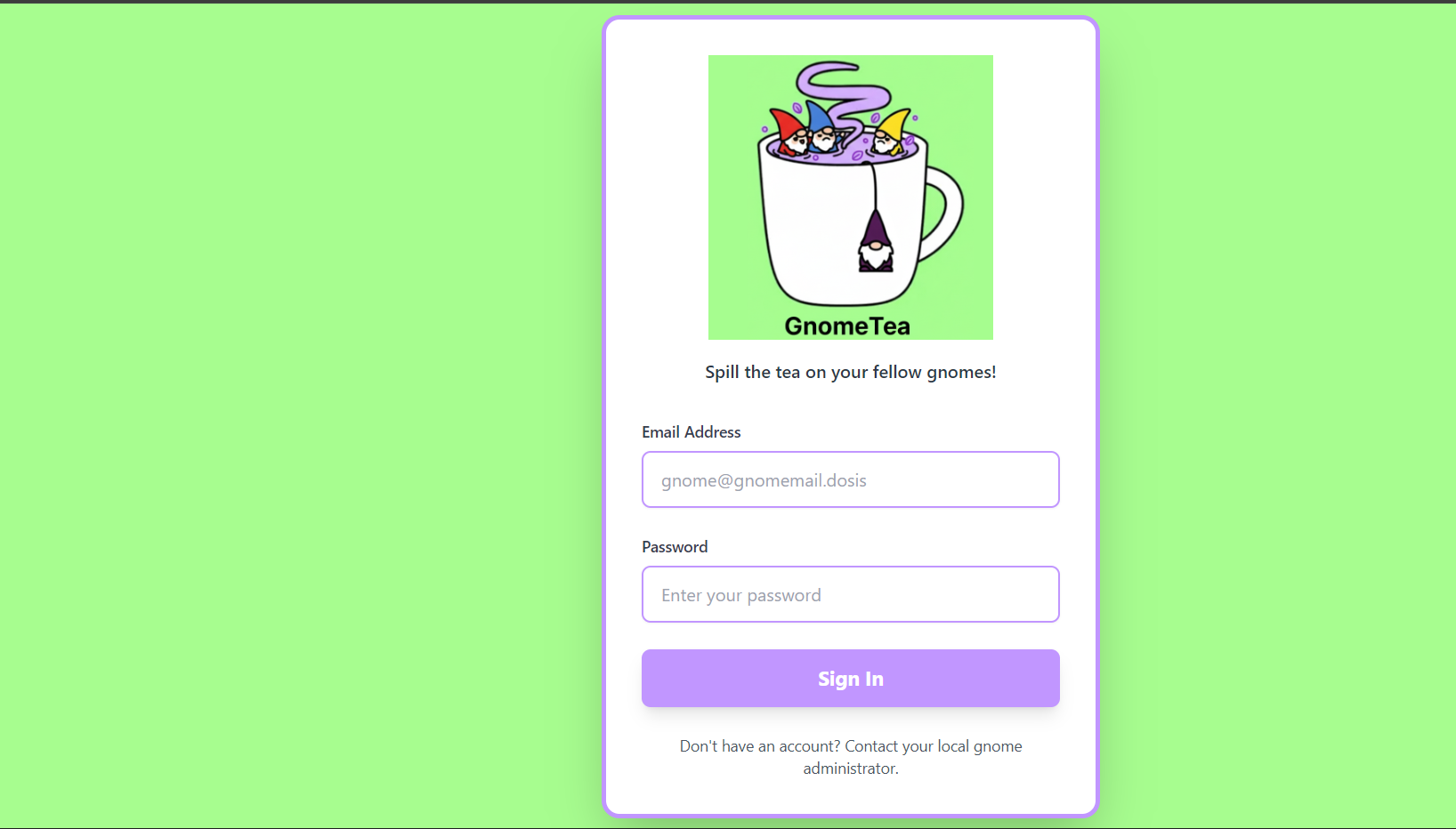
The link I was given led to the login page of the GnomeTea social network website. I tried some default credentials but, I did not get anything conclusive.
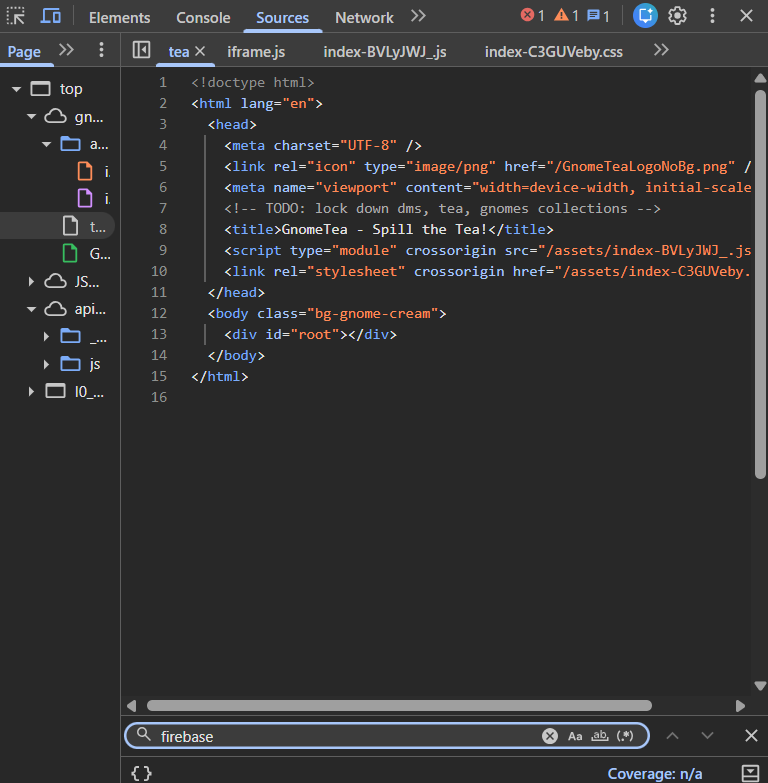
In DevTools, I checked the base HTML and found a TODO note about locking the dms, tea, and gnomes collections.
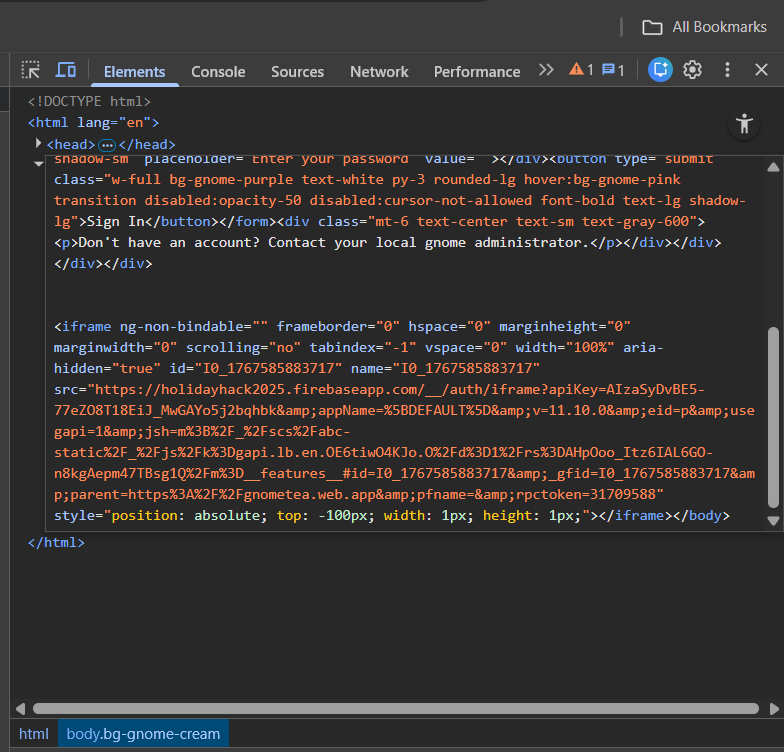
I continued my inspection of the HTML code and found Firebase auth details embedded in an iframe request. The apiKey appeared in the iframe URL, which is enough to query Firestore endpoints.
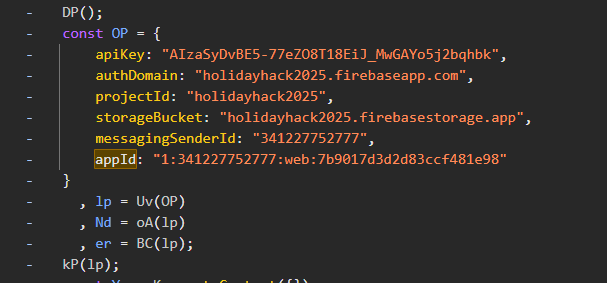
The JavaScript code also contained a full Firebase config object. I captured the apiKey, projectId, and storageBucket values for direct API calls. All these will be useful for checking the collections and the Firebase storage.
Firestore data access⚓︎
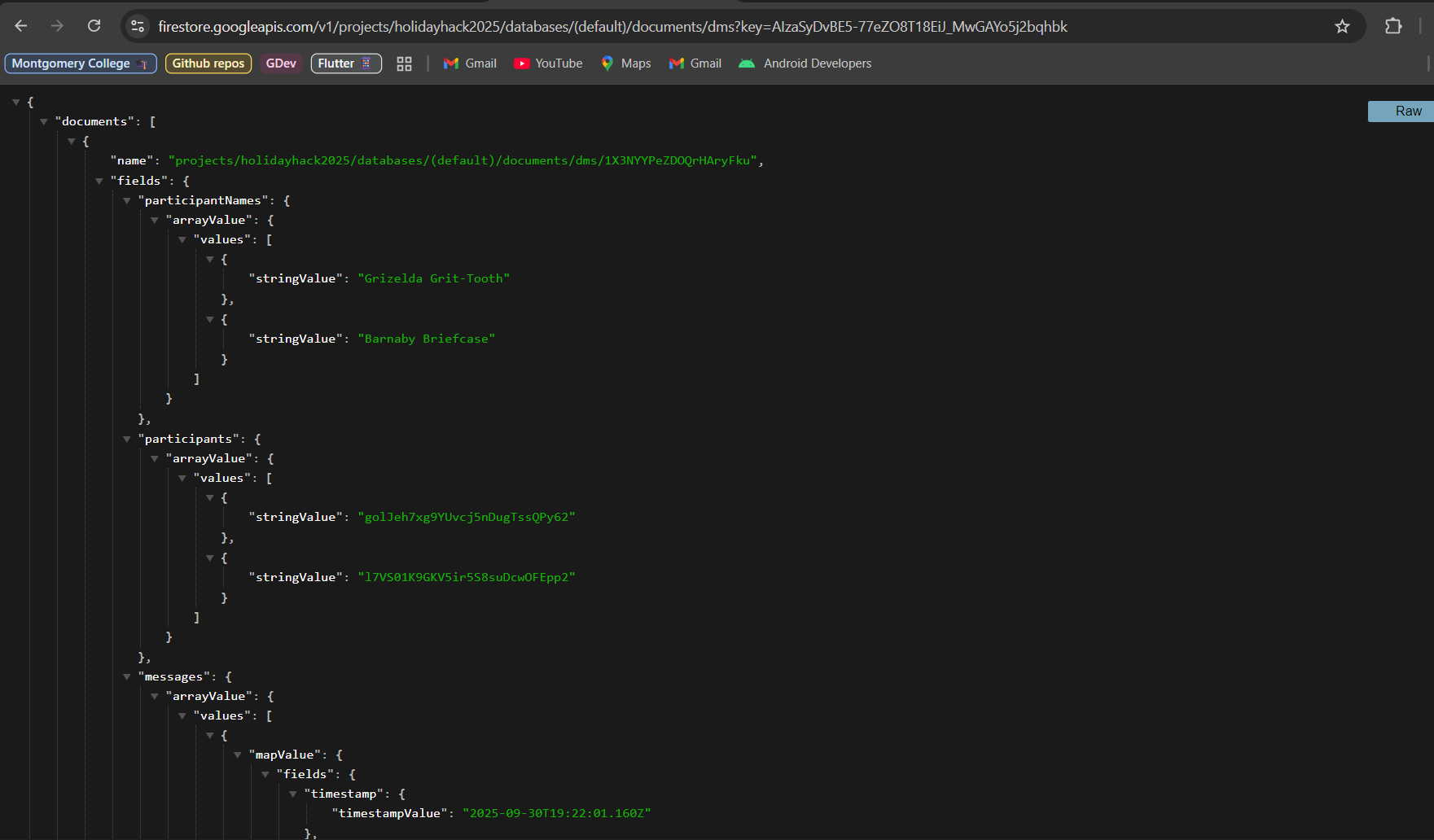
Using the config, I queried Firestore project used by the GnomeTea webapp and confirmed the dms collection was readable.
The response showed information about DMs including the participant IDs, the message, timestamps, etc.
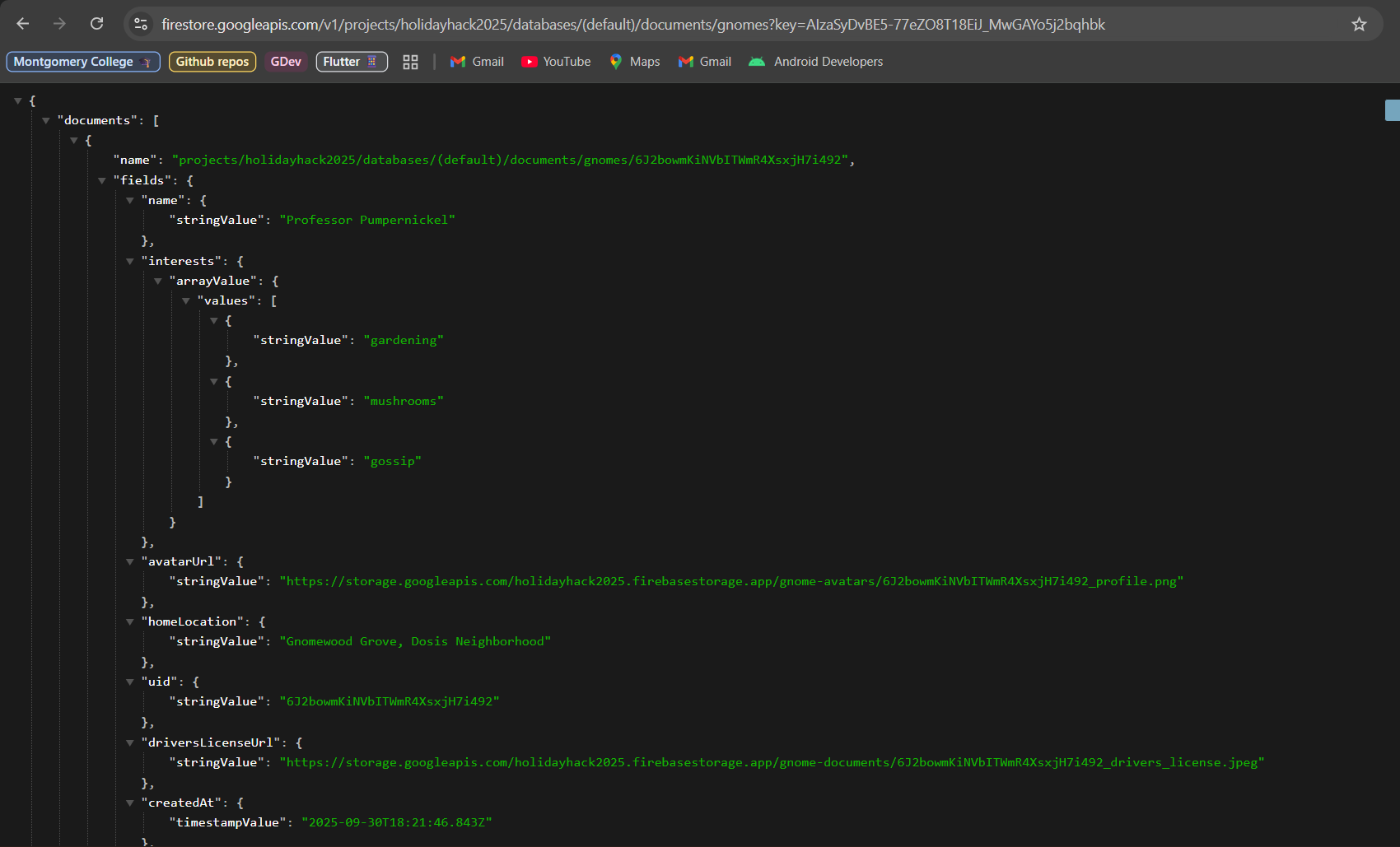
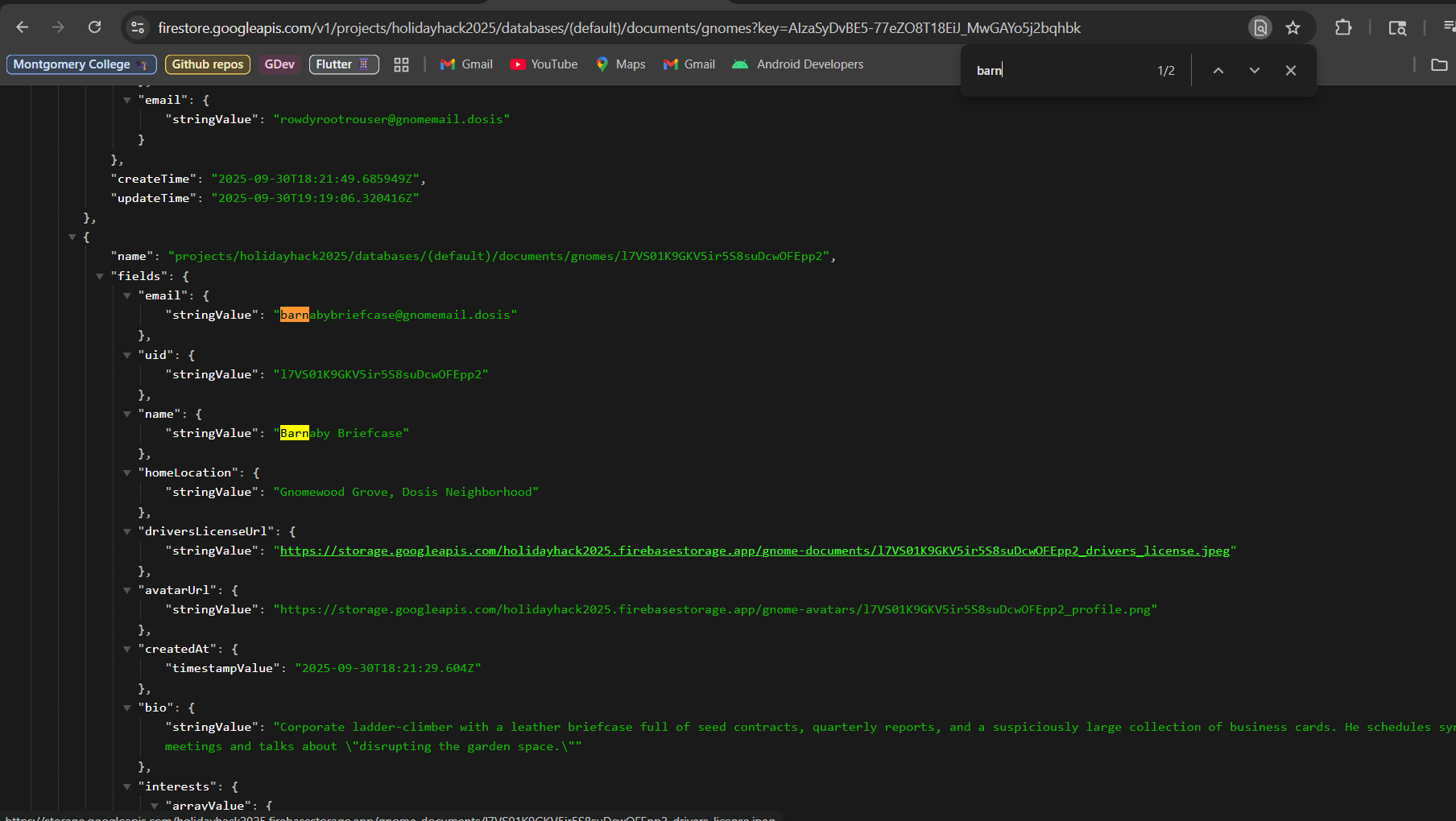
I looked at the gnomes collection and found every gnome information: Name, interest, avatarURL, Uid, driversLicenseURL etc.
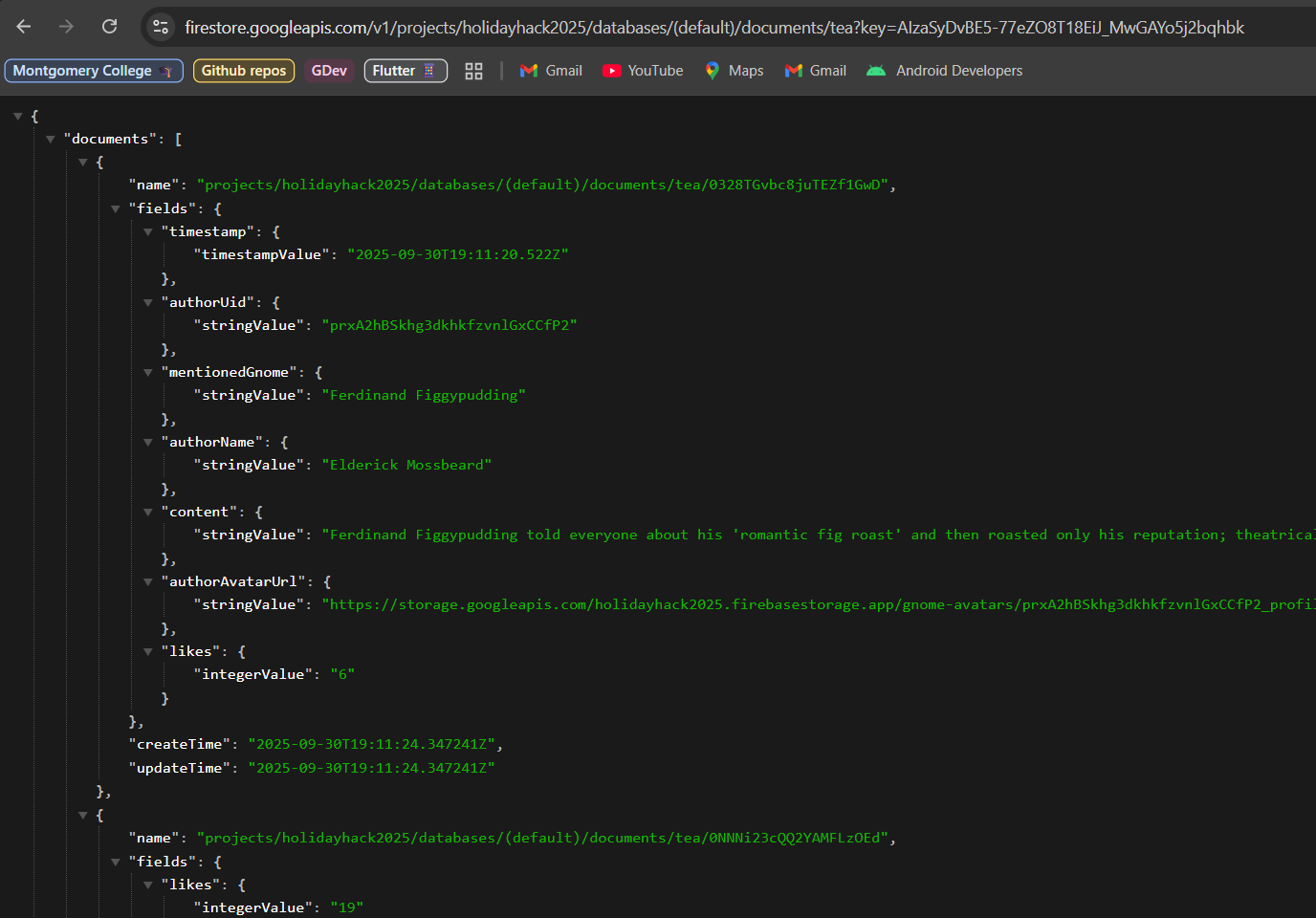
The tea collection showed the public posts on the social network including content, author, and mentioned gnomes.
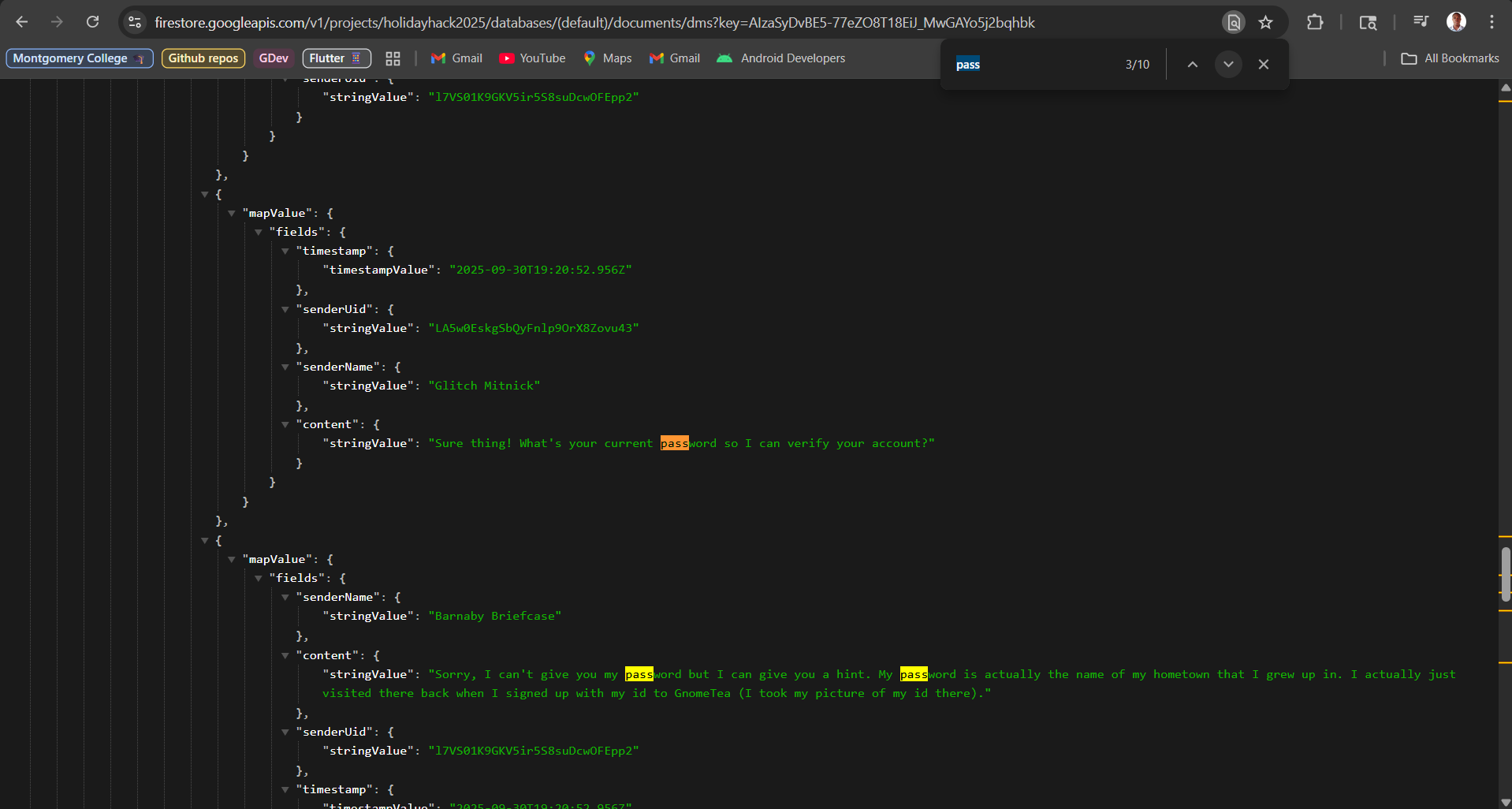
The first hint I got said the gnomes spill tea about each other on the app. A quick search for the word pass (password) in all the collections returned a DM message about a gnome named Barnaby Briefcase whose password is the town associated with the location where he took his driver's license picture for the social network.
I searched the gnomes collection for Barnaby Briefcase and found the link to his driver's license image.
Storage bypass and location extraction⚓︎
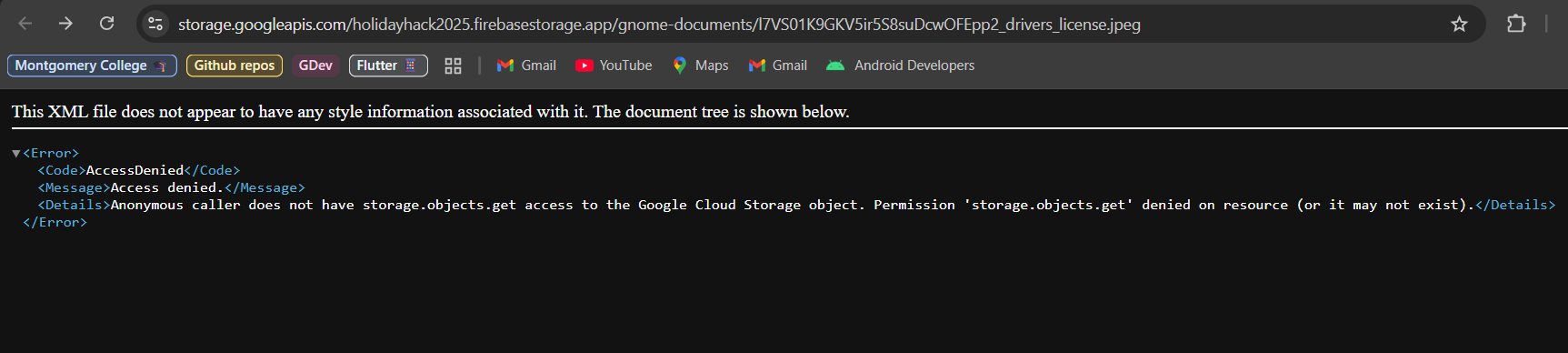
I attempted to open the license image directly from the storage URL. The request failed with AccessDenied, so I needed another way to retrieve the file.
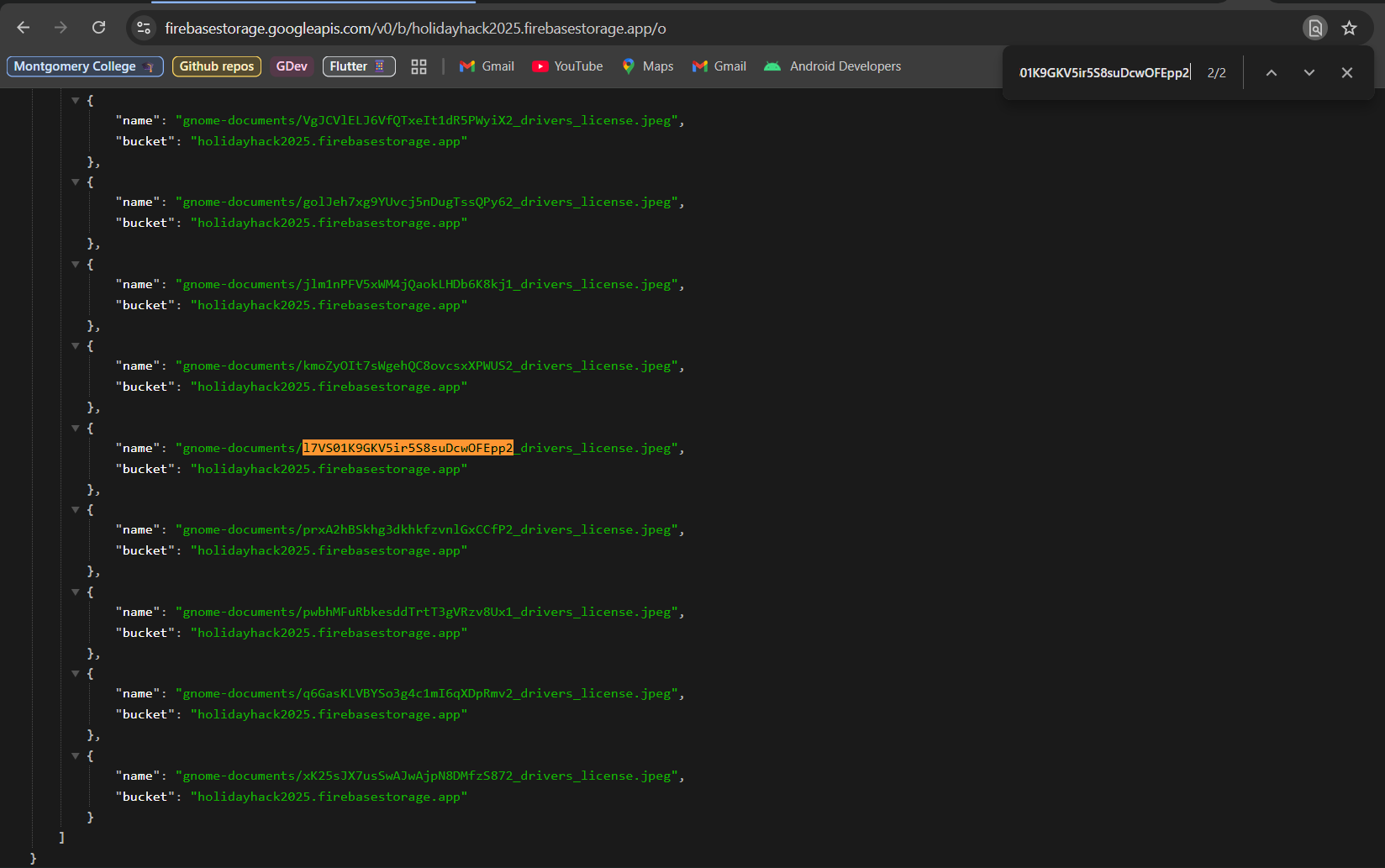
After checking the Firebase documentation, I found how to compose a correct URL to get access to the storage of a Firebase project. Once I got access to the Firebase Storage using the information on the Firebase project I found earlier, I looked for Barnaby UID and found his driver's license image.
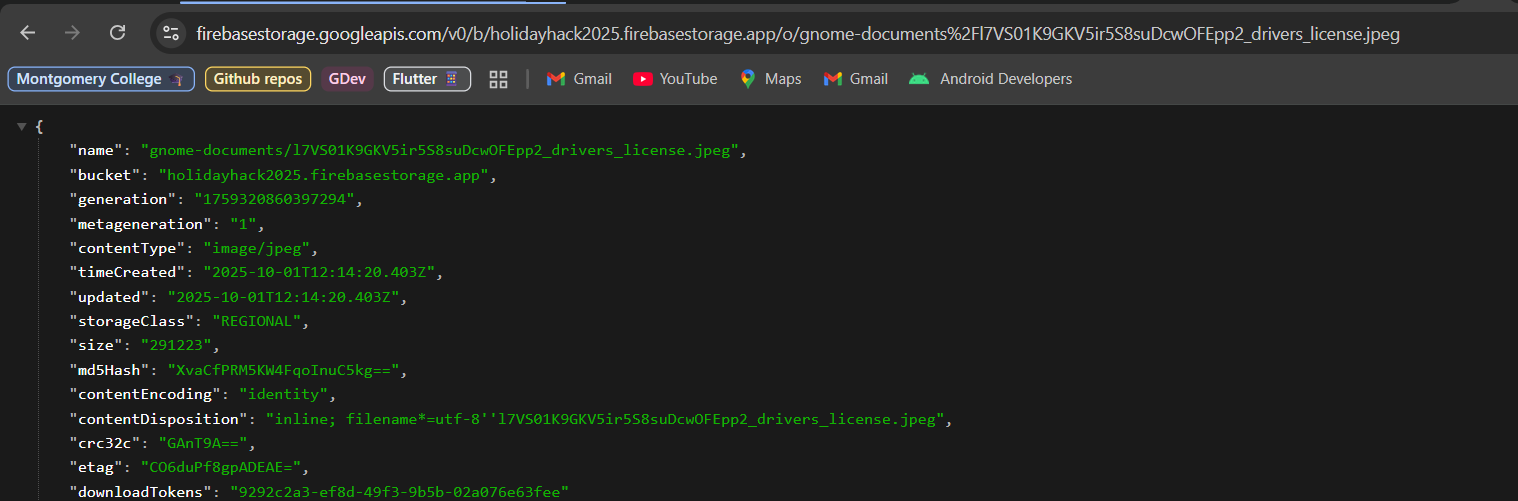
Appending the file path to the previous URL only gave me the metadata of the image. This is useful since it contains the image download token.
From the Firebase documentation, I found how to compose the URL with the token and download the image. I was able to retrieve Barnaby's drivers license image.
| Drivers license download URL | |
|---|---|
1 | |
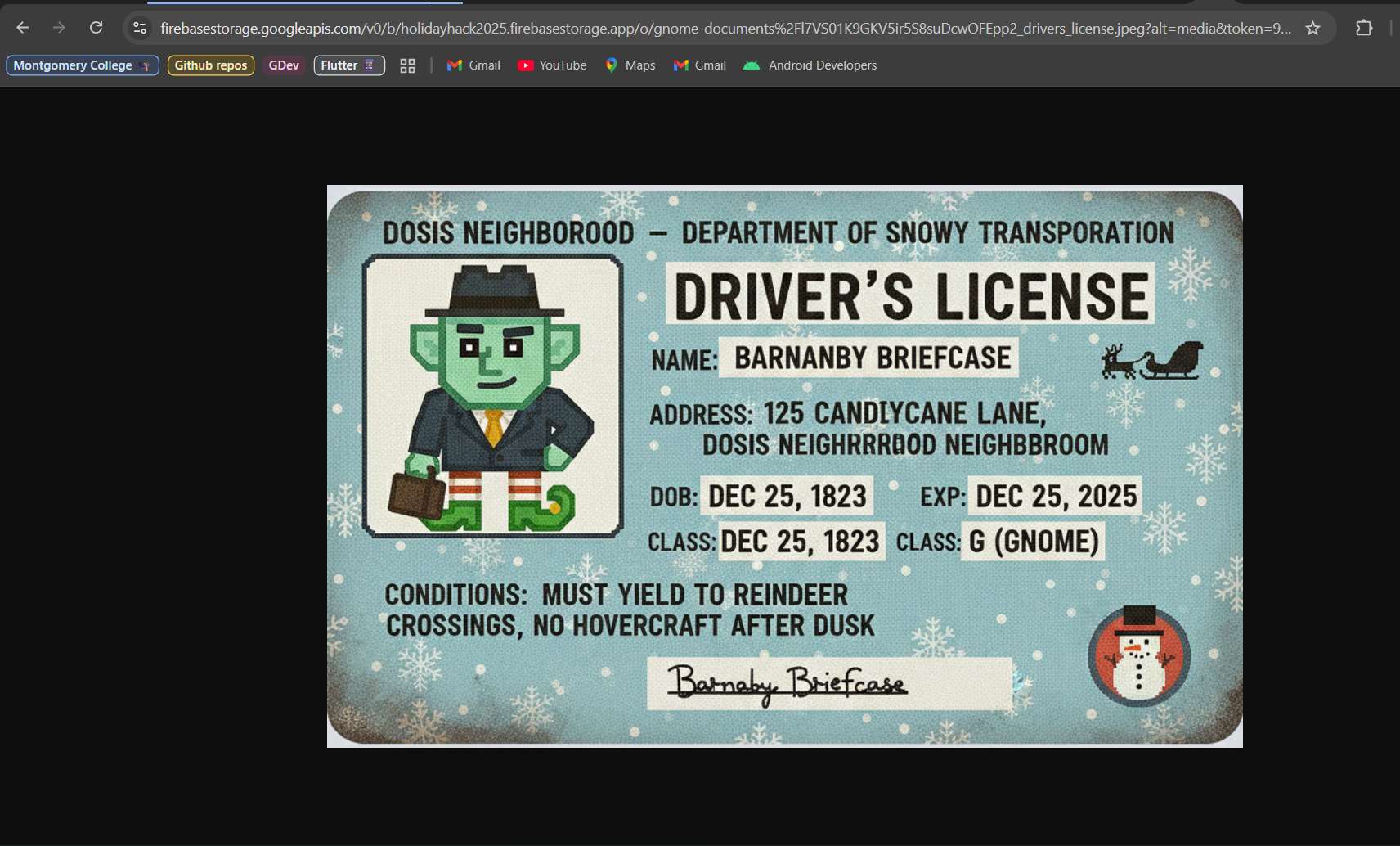
I ran the image through EXIF tooling and got the GPS coordinates of the image.
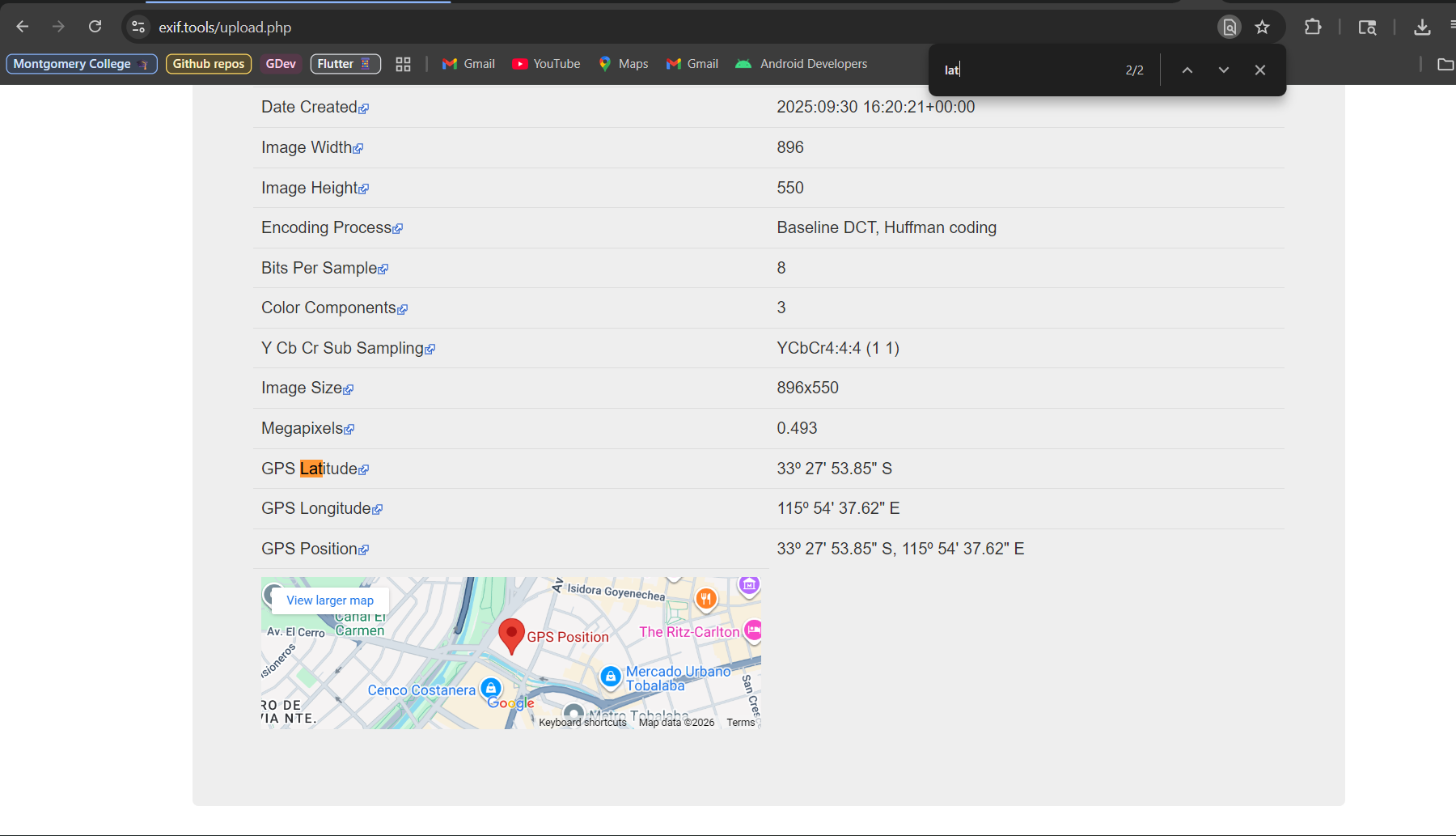
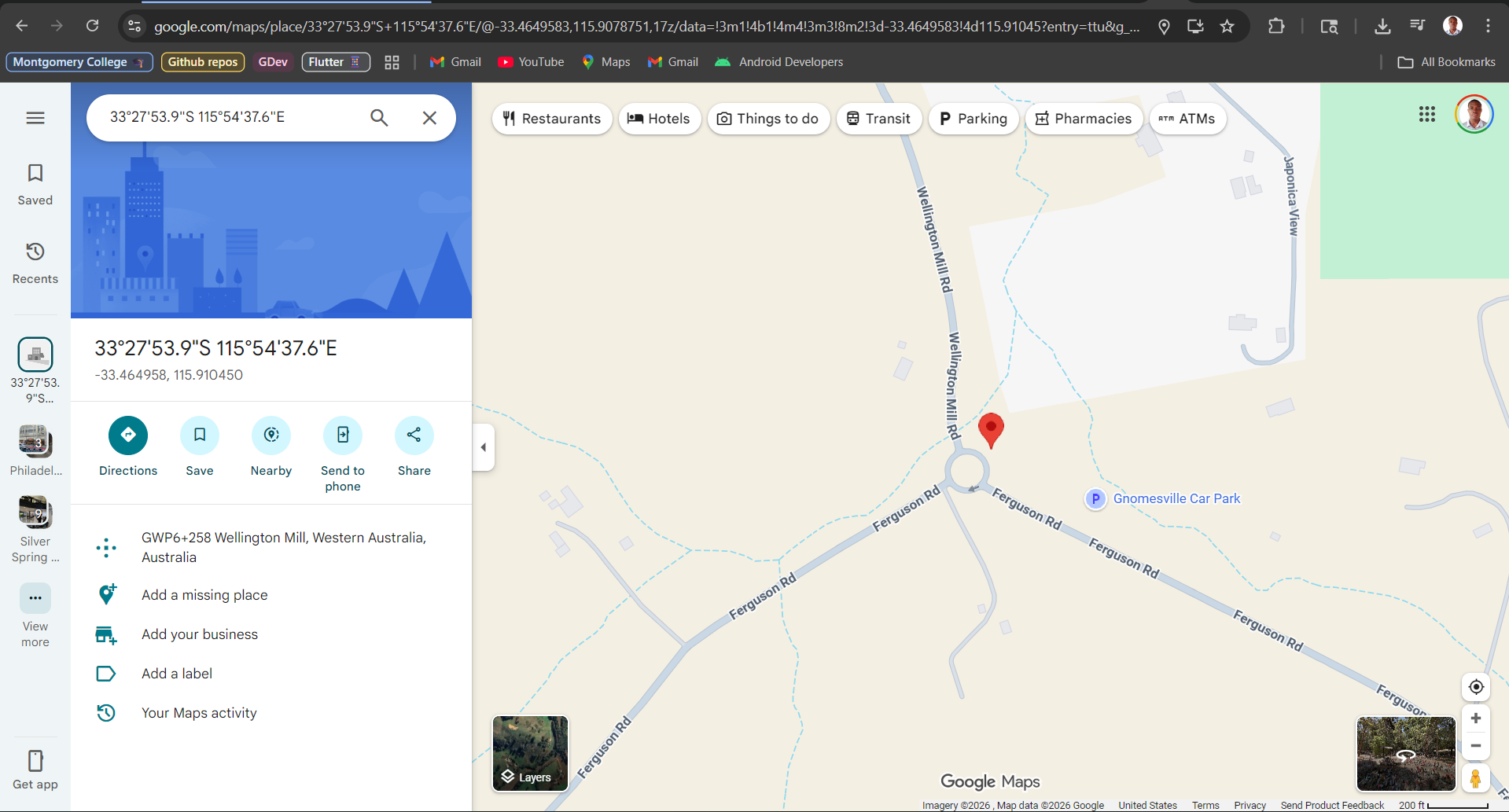
After a search of the GPS coordinate on Google Maps, I got the password Gnomesville.
Admin route and passphrase⚓︎
After getting the password, I logged into the GnomeTea dashboard and got access to Barnaby's profile.
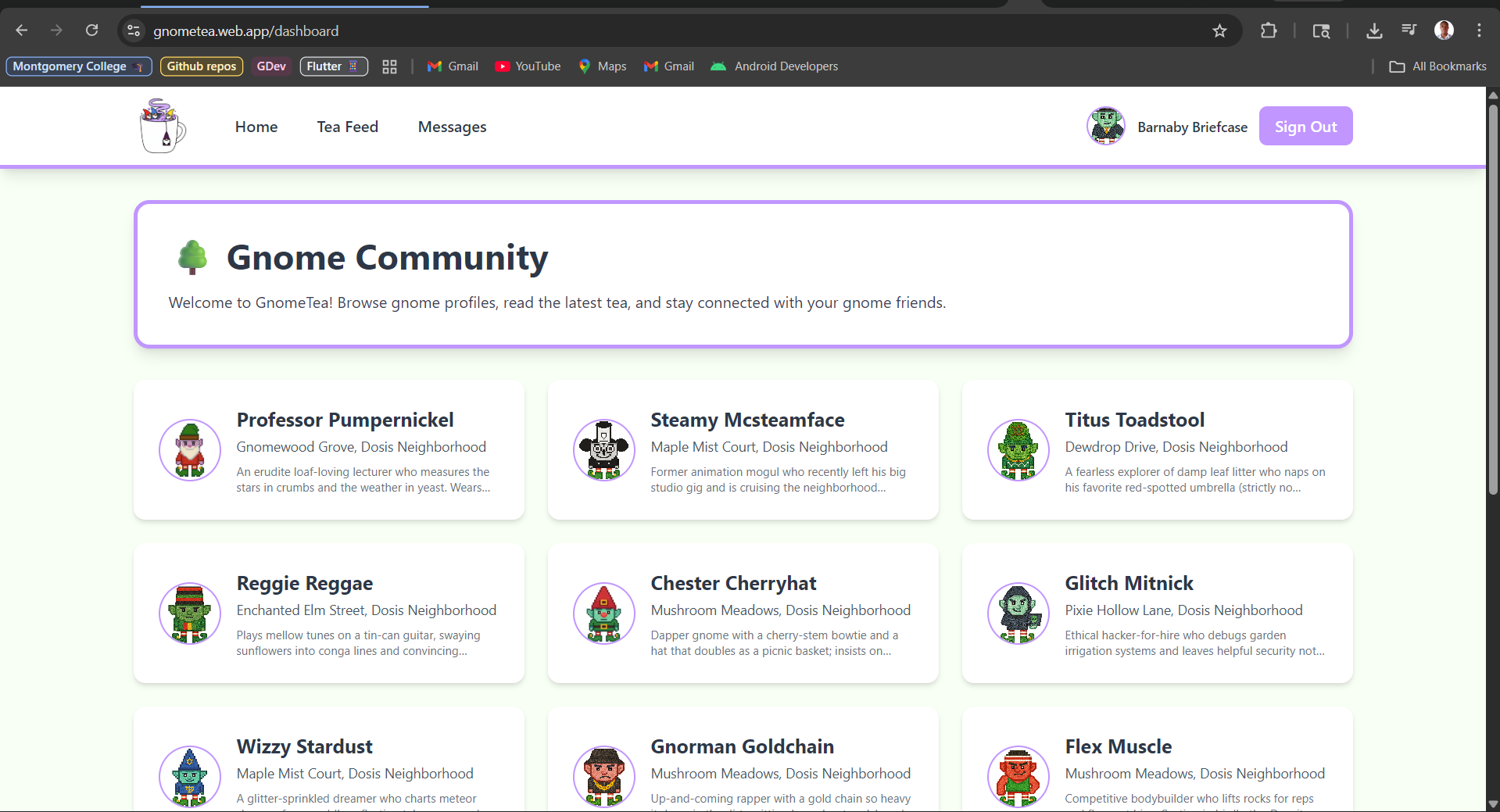
Since Barnaby is a simple user and I did not get the passphrase on his profile, I looked through the source code again and found the different endpoints of the app.
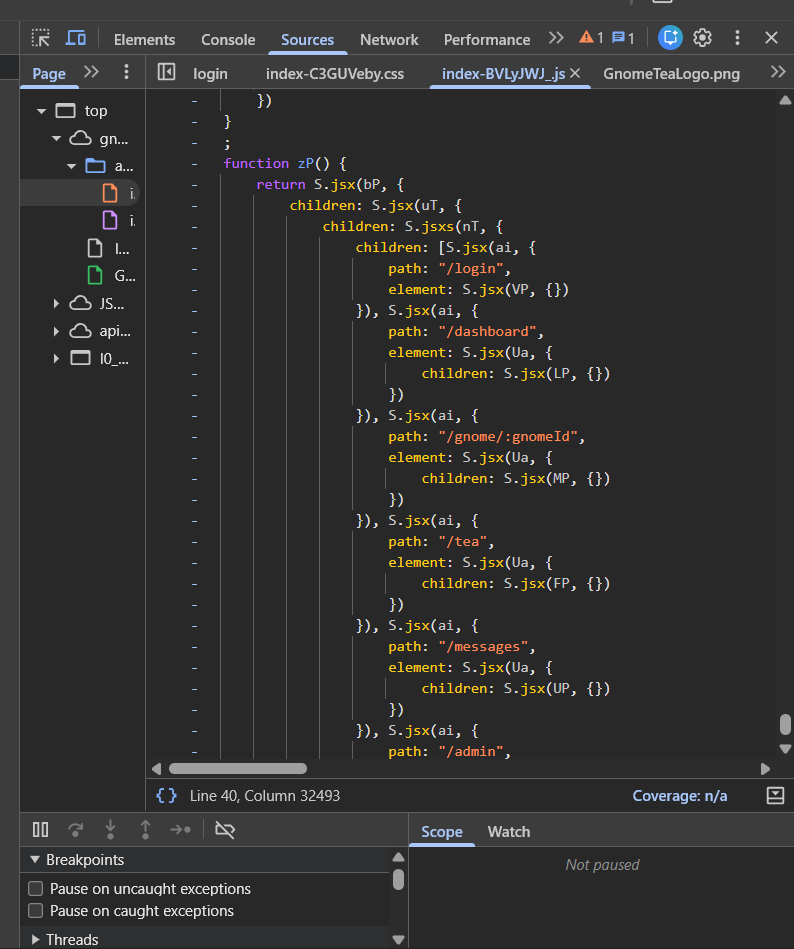
In my search for more information about admin in the JS, I found the admin validation flow. The check was client-side, so setting the UID in the browser would unlock the admin view.
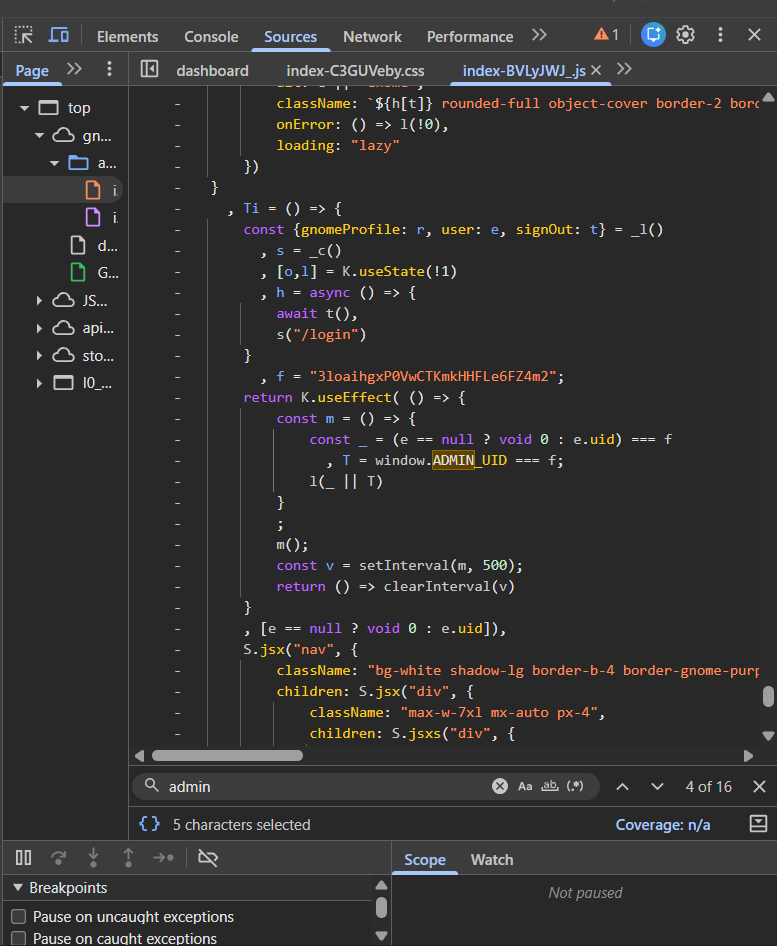
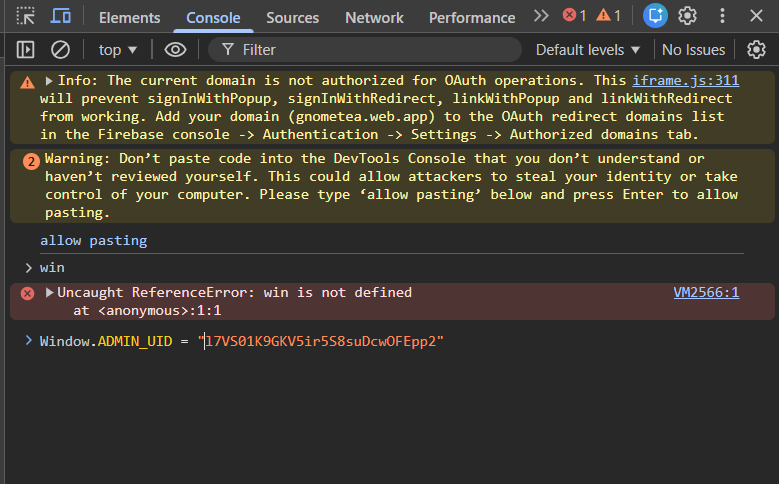
I set ADMIN_UID to Barnaby's UID and got admin access on the app.
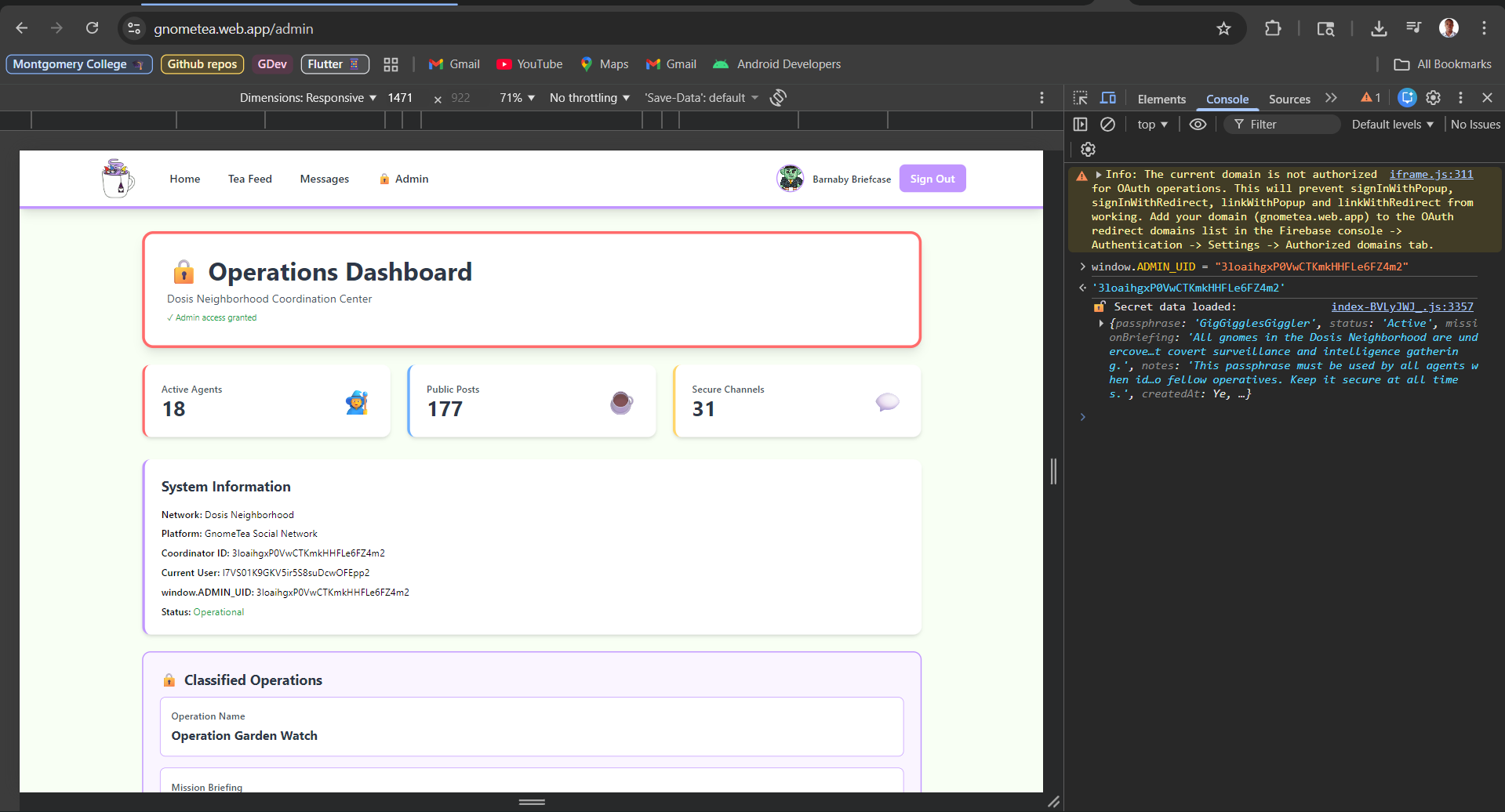
The /admin page loaded with an admin dashboard and secret information of the gnomes.
The console also output "Secret data" which contains the passphrase GigGigglesGiggler.
After submitting the flag, the objective was added to the achievements list.

Answer
GigGigglesGiggler
Prevention
- Write Firestore/Storage security rules that require authentication and ownership checks per document.
- Enforce Storage Security Rules that require auth or match the requesting user's own file path.
- Enforce admin/authorization checks entirely server-side; never let a client-supplied value (like an
ADMIN_UIDset in the browser) determine access to privileged functionality.
Response⚓︎
Thomas Bouve
Excellent! Now we can communicate with the gnomes. When I tried to talk to one just now it said "passphrase accepted".
I asked what they were up to and it said something about going to the old warehouse/data center at the appointed time for the next meeting. No clue what that means though.
Anyhoo, that's a pretty big item you helped remove from my pile of unfinished hacking projects. I really appreciate the assist!